Writing an application against a mesh
One command gives you a running network and an address to point a client at.
meshbench servefixture-fife-strict: 58 nodes, starting firmware
tcp 127.0.0.1:36205
node AngusOutlaw1, 56 nodes running real MeshCore firmware
Point your client at that. Ctrl-C to stop.Connect to that address and you are talking to a companion node's serial protocol, byte for byte as the firmware produces it. Everything you send crosses a simulated radio to real MeshCore firmware on every other node.
What you are connected to#
Options#
| flag | effect |
|---|---|
-fixture <path> | a different network; the shipped ones are in fixtures/ |
-node <name> | expose a particular companion rather than the first |
-serial | a virtual serial device instead of TCP, for clients that open a port |
-addr 0.0.0.0:4403 | listen on every interface, so a phone can connect |
-quiet | print only the address, for scripting |
The Companion bench, in the application#
The Companion bench panel, in the App view, does the same thing with a button, and adds what a terminal cannot: the protocol decoded in both directions, whether a client is attached, and faults on demand.
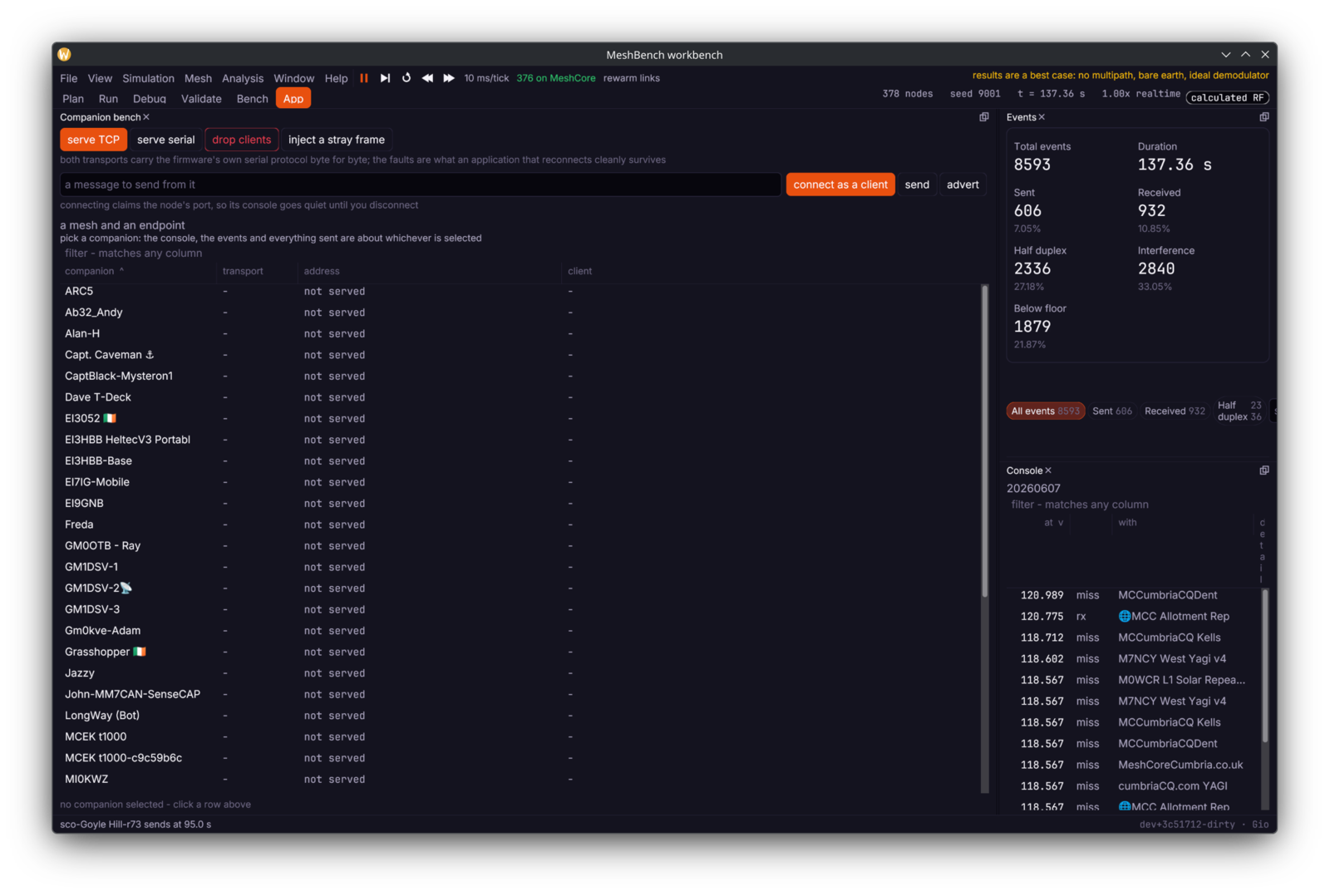
One click for both. give me a mesh and an endpoint starts firmware on every node if it is not already running, then serves the first companion over TCP and prints the address. Firmware starts a process per node, so on a large fixture it takes a few seconds and the button says so rather than handing over a port that answers nothing.
Three transports, per companion. TCP for a client that speaks sockets, serial for the many that only know how to open a port, and serve BLE for a phone app that finds its radio over Bluetooth, described below. TCP and serial carry the firmware's own serial protocol byte for byte - this is not a mock, it is the same bytes the real device sends. The address gets a copy button beside it, because it is going into somebody else's configuration file and retyping a port from a screen is how a digit gets lost.
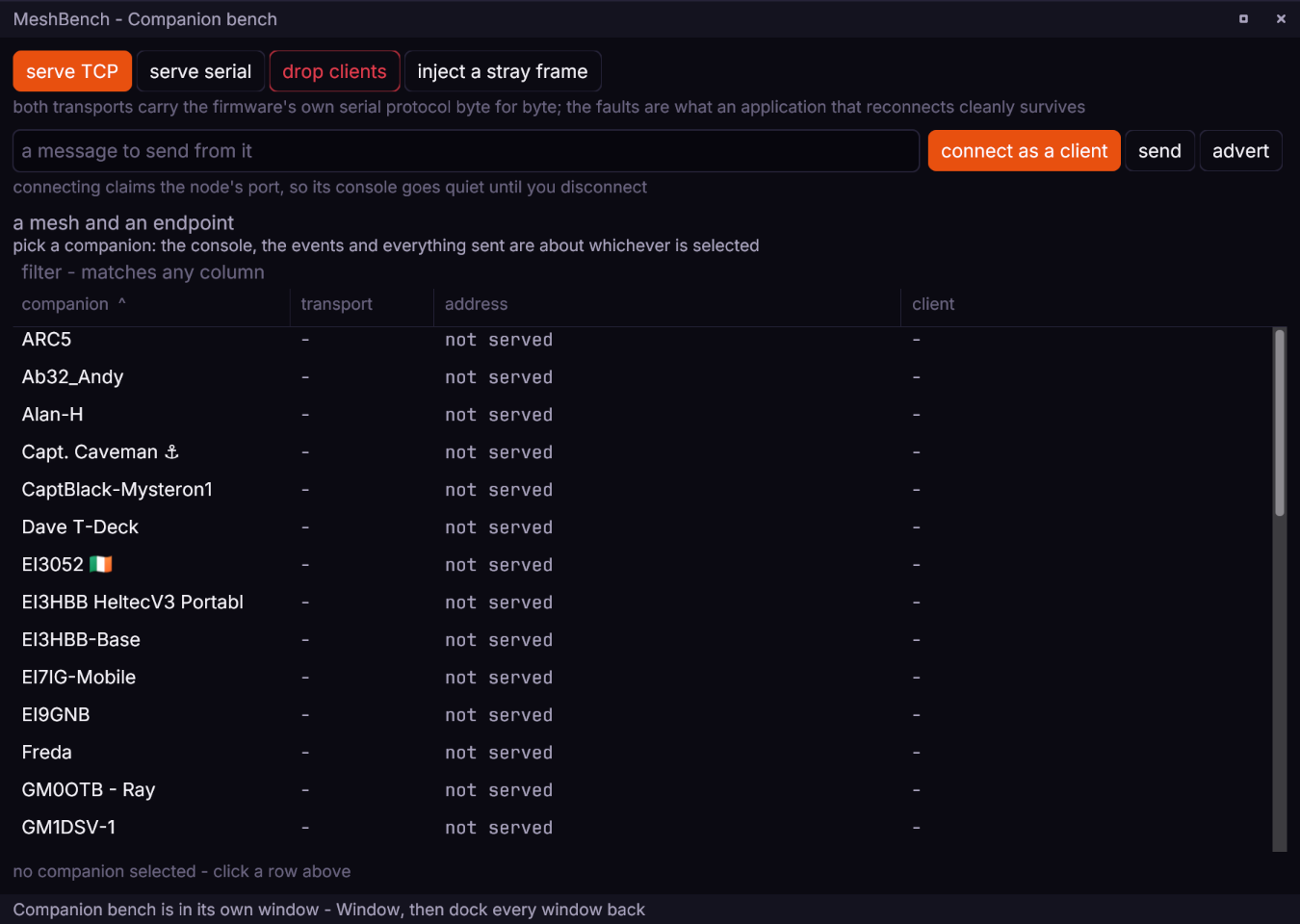
The client column says whether anything is attached. A port that is listening and a port that has a client are different situations, and the difference matters when an application appears to be doing nothing.
Over Bluetooth#
serve BLE advertises the companion on this machine's Bluetooth adapter, so a phone app finds it in its device list the way it finds a radio, under the name MSIM- followed by the node's name. It is for testing an app's own Bluetooth path against a simulated mesh.
The node runs its USB build behind a Bluetooth front. The workbench serves the node over TCP and starts a small BLE peripheral against that port. The peripheral registers MeshCore's companion service (the Nordic UART Service UUIDs MeshCore uses) with BlueZ, turns each frame the node sends into one notification, and turns each write into a frame for the node. So this tests a client against a simulated mesh, not MeshCore's own BLE transport, which is never run. A client should negotiate an MTU large enough for a whole frame: BlueZ cuts a notification longer than the MTU.
What it needs:
- Linux with BlueZ. On any other system it is refused with
serving over BLE needs BlueZ, which is Linux only. python3onPATH, or it is refused withserving over BLE runs a Python peripheral, and python3 is not on PATH. The peripheral is a Python script carried inside the binary.- The Python D-Bus and GLib bindings,
dbus(dbus-python) andgi(PyGObject): on Debian and Ubuntu,python3-dbusandpython3-gi. - A Bluetooth adapter BlueZ can advertise on. If the service and its advertisement are not registered within 15 seconds, or the peripheral exits first, serving fails with
the BLE peripheral did not come up:and the last line it printed.
While it is served, the endpoint's kind is ble and its address is the advertised name.
Select the companion node, then press serve BLE in the Companion bench, beside serve TCP and serve serial.
{"id":1,"method":"bench.serve","params":{"node":"AngusOutlaw1","kind":"ble"}}
{"id":2,"method":"bench.serve","params":{"node":"AngusOutlaw1","kind":"ble","name":"Bench-1"}}wb.call("bench.serve", {"node": "AngusOutlaw1", "kind": "ble"})_, err := wb.Call(ctx, "bench.serve", map[string]any{"node": "AngusOutlaw1", "kind": "ble"})name sets the advertised name in place of the MSIM- default.
Dropping the endpoint ends it. The peripheral exits when the node's port closes, so drop clients in the Companion bench (bench.drop) also stops the advertising, and the phone loses the device as it would a radio switched off. Serving the node again in any transport replaces the BLE endpoint.
Faults#
Drop every client connection takes the listener away with the connection, so the device disappears the way an unplugged cable does - "the device was unplugged", not "the link glitched". An application that reconnects cleanly from that is one that survives a phone going to sleep. Serving again is one click.
Inject a stray frame puts traffic into the stream that the client did not ask for and cannot parse, while it is busy with something else.
Two faults and not a page of them, because two are what the workbench can actually cause today. A button that pretends to inject a fault it cannot is worse than an absent one. Radio-level faults belong to the RF model: move the node, drop its transmit power, or place an emitter beside it and watch what happens to the link.
Testing against it in a pipeline#
meshbench test -fixture fixtures/fixture-fife-strict.json \
-endpoint tcp:AngusOutlaw1 -junit results.xmlRuns the network for a fixed time, holds the endpoint open for your test to drive, checks the network's own assertions, writes JUnit and exits non-zero if anything failed. Everything is native firmware, so the same seed gives the same run and a failure is reproducible.
If your application is written in Go or Python, the clients give the same thing without leaving the test: a headless session the test owns, a clock it advances, and bench.serve to expose a companion endpoint to dial. Testing your own code covers both arrangements.
What differs from hardware#
The protocol on the wire is identical: this is the firmware's own serial code producing the bytes. What differs is the radio underneath it, which is a model. Links are cleaner than reality because there is no multipath, no body loss and no interference from outside the network, so treat delivery as a best case.
Nothing about the timing is scaled down: a message that takes two seconds to cross four hops here takes about two seconds on hardware, because airtime is computed the way the firmware computes it.