Your first simulation
Fifteen minutes from an empty workbench to a real 378-node network relaying real packets through real firmware. You will load a shipped snapshot of ScotMesh, the Scottish community mesh, boot MeshCore on every node, and watch a message flood across Scotland.
Run it#
- Load a shipped network. File, then Open a saved network, and
choose
fixture-fife-strictto see it moving in seconds (58 nodes), orfixture-scotland-ireland-strictfor the full map (378 nodes, about a minute to boot).
> The first run asks about terrain, and waits for your answer. Measuring > the links needs ground elevation this machine has not downloaded yet, so > the measurement stops and says so rather than quietly assuming flat earth. > Until you answer, the map shows no links. Allow it in Configuration, > System, and the measurement finishes on its own. Refusing is a real > answer too: the run continues over whatever terrain is already cached, and > every study afterwards reports which ground it used, so a result can never > silently be the optimistic one.
- Start the firmware. Simulation, then Start firmware on every node. Each node launches a real MeshCore build and is told its name, position, clock and regions. Watch the count in the status bar reach the node total; the big fixture takes about a minute and 4 GB.
- Press play. The transport control on the toolbar, or the space bar. Simulated time starts moving.
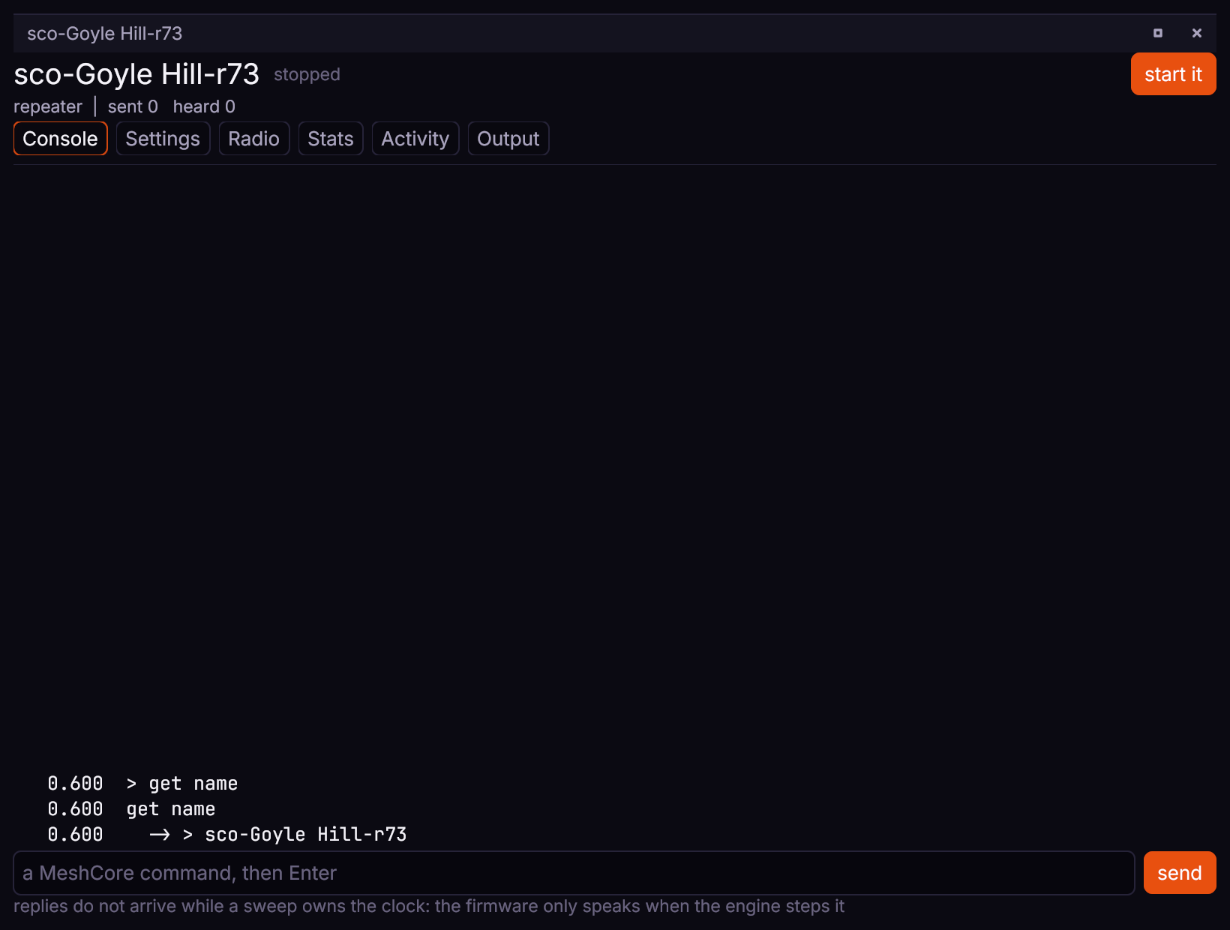
- Make something happen. Double-click any repeater to open its own
window on the Console tab, type
advert, and press Enter. That is the node's real command line, and the reply is the firmware's own. An advert is MeshCore's announcement packet, the thing nodes flood through the mesh: watch it spread.
 Watch the flood spread: the Events panel lists every transmission, reception and miss with a cause.
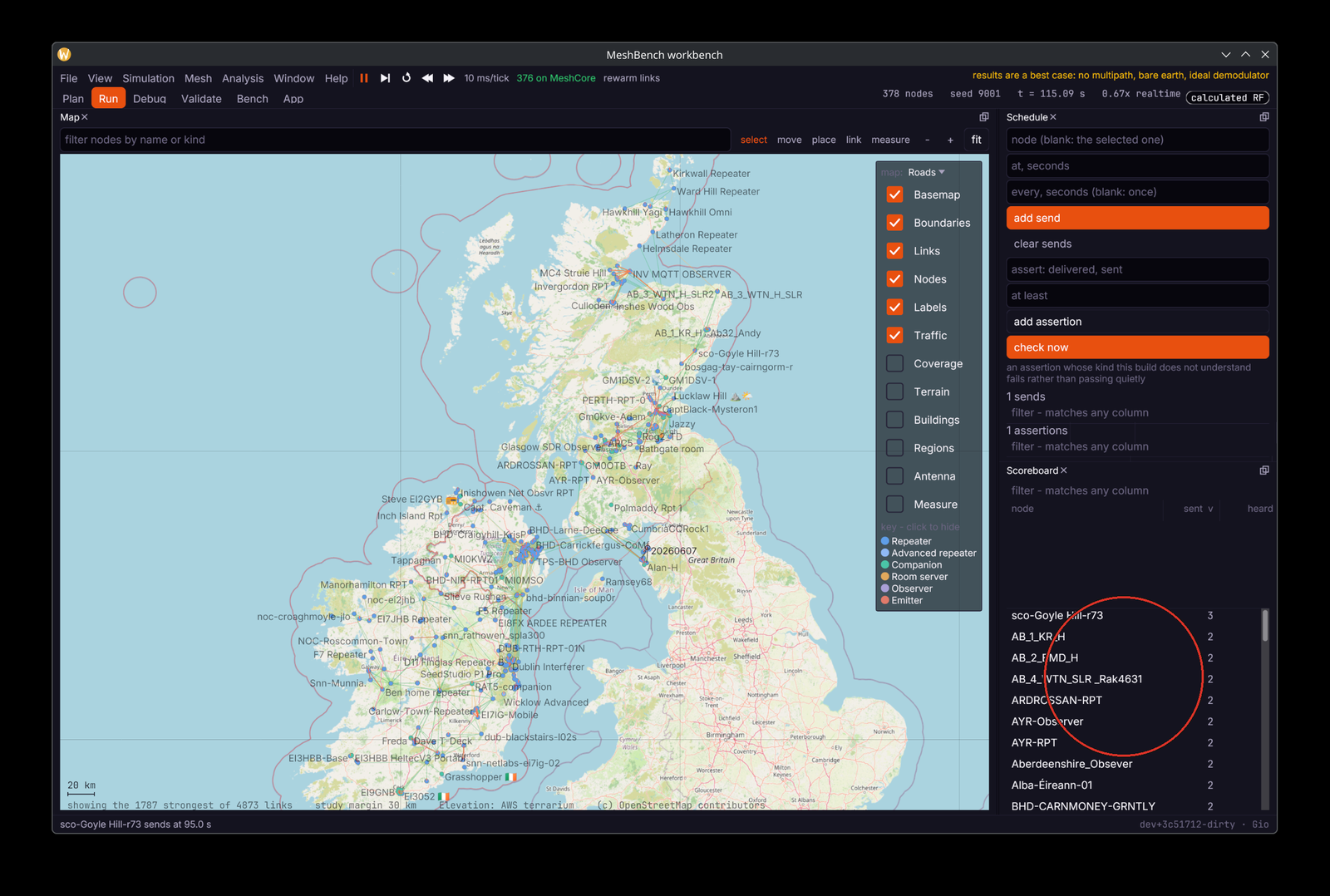
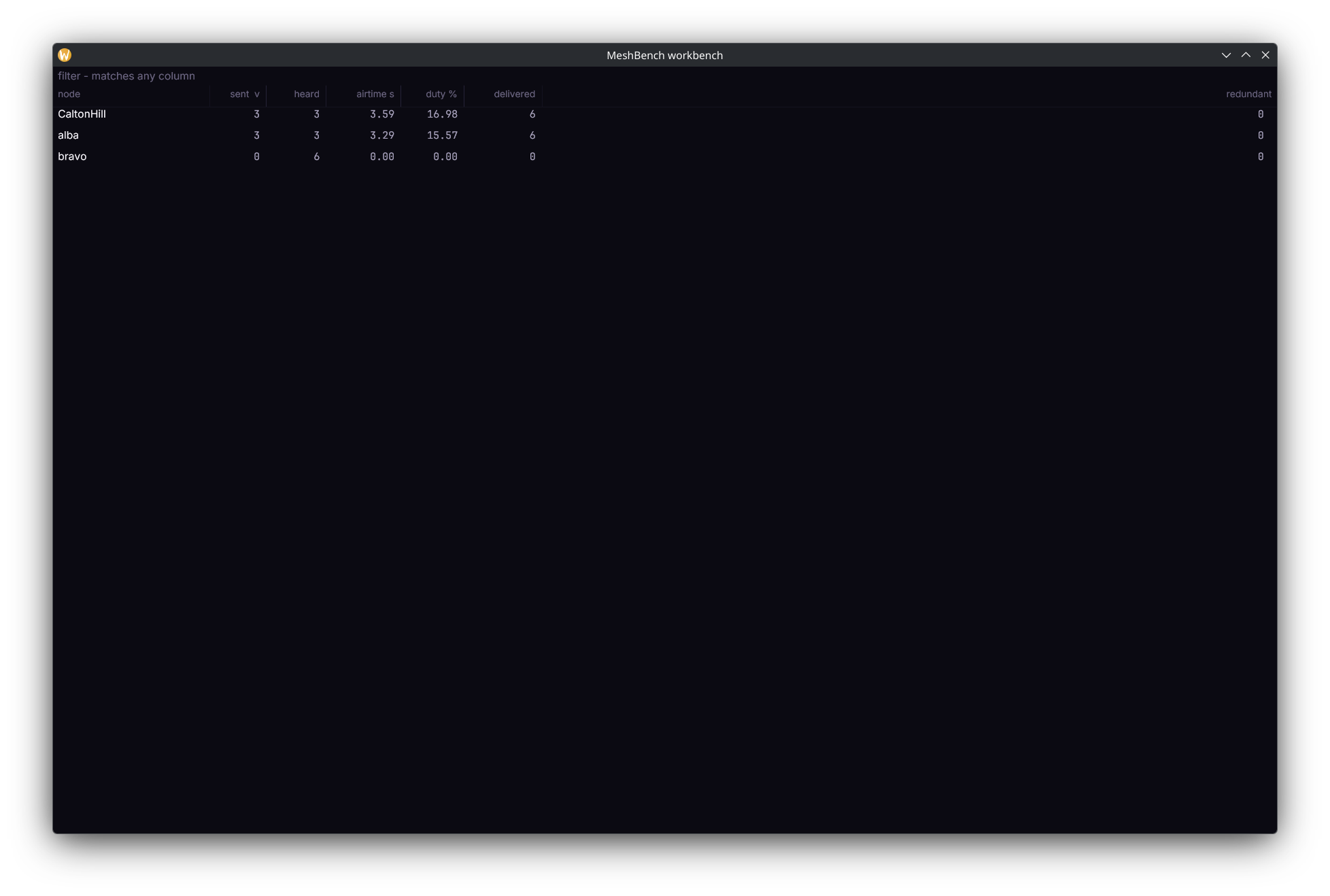
The scoreboard's airtime and duty % columns are each node's time on the air and its share of the run so far. From a script they are airtime_ms and duty_cycle_pct in every nodes.stats row; airtime is cumulative, so the airtime inside a window is two readings subtracted.
If the mesh looks dead, the usual cause is regions rather than radio. A repeater only forwards flood traffic for regions it has been told about, and reports no error when it declines. The
-strictfixtures carry the real regions, so they relay. See Shipped networks.
What you are looking at#
- The map draws nodes coloured by kind, and links weighted by the weaker direction's margin. The layer key toggles links, coverage, terrain and more.
- The Events panel is the ground truth. Every reception and every failure carries a cause, which is the difference between "it did not arrive" and "it arrived 3 dB under the demodulator floor".
- The status bar carries the honesty line: results are a best case. That is a property of the model, explained in Reading a result.
- The clock is simulated time, not wall time. On a small network it runs faster than your watch; nothing about the result changes either way. See Time and determinism.
Where things are#
The view switcher along the top is the main navigation. Each view is a saved arrangement of panels for one kind of work:

| view | for |
|---|---|
| Plan | build and site: import, place, drag, boundary, coverage |
| Run | exercise it and watch: play, schedule traffic, consoles, live feed |
| Debug | ask why one thing happened: packet timelines, the waterfall (spectrum over time), consoles, link budgets |
| Validate | check the model against what a real network heard |
| Bench | compare configurations: sweep a parameter, read what differed |
| App | write a client against it: an endpoint, the protocol, faults |
Panels can be dragged out, docked elsewhere, or popped into their own window on a second monitor. Each view remembers its own arrangement.
What to try next#
- Put traffic on a timer. The Schedule panel sends a command on a repeat:
advertevery thirty seconds keeps the map breathing without you. - Break a link. Drag a hilltop repeater into a valley and watch its links thin as the terrain model reprices every path.
- Ask why a packet failed. Pick a miss in the Events panel and follow Debugging packet delivery.
- Compare two settings. When one run stops being enough, run an experiment.