MeshBench
MeshBench runs real MeshCore firmware. MeshBench models the air.
MeshCore is the open-source LoRa mesh firmware; MeshBench is the instrument it is measured with: an RF-accurate network simulator. It runs real MeshCore firmware against a modelled radio channel, so the question it answers is not "would a packet get through" but "what actually arrived at the antenna, and why".
Reception is decided one of two ways. Calculated is the default: a link budget against the demodulator's floor, fast enough for a national network. Waveform synthesises the actual chirps and runs a real demodulator over them, so capture and collision emerge from the physics rather than from a rule. Both price the same path; see RF simulation. The firmware is never simulated: every node is the real MeshCore application running against a modelled radio. What is real, and what is modelled is the two-minute version of that mental model.
One binary on your machine. No service to deploy, no account, nothing to configure before the first run.
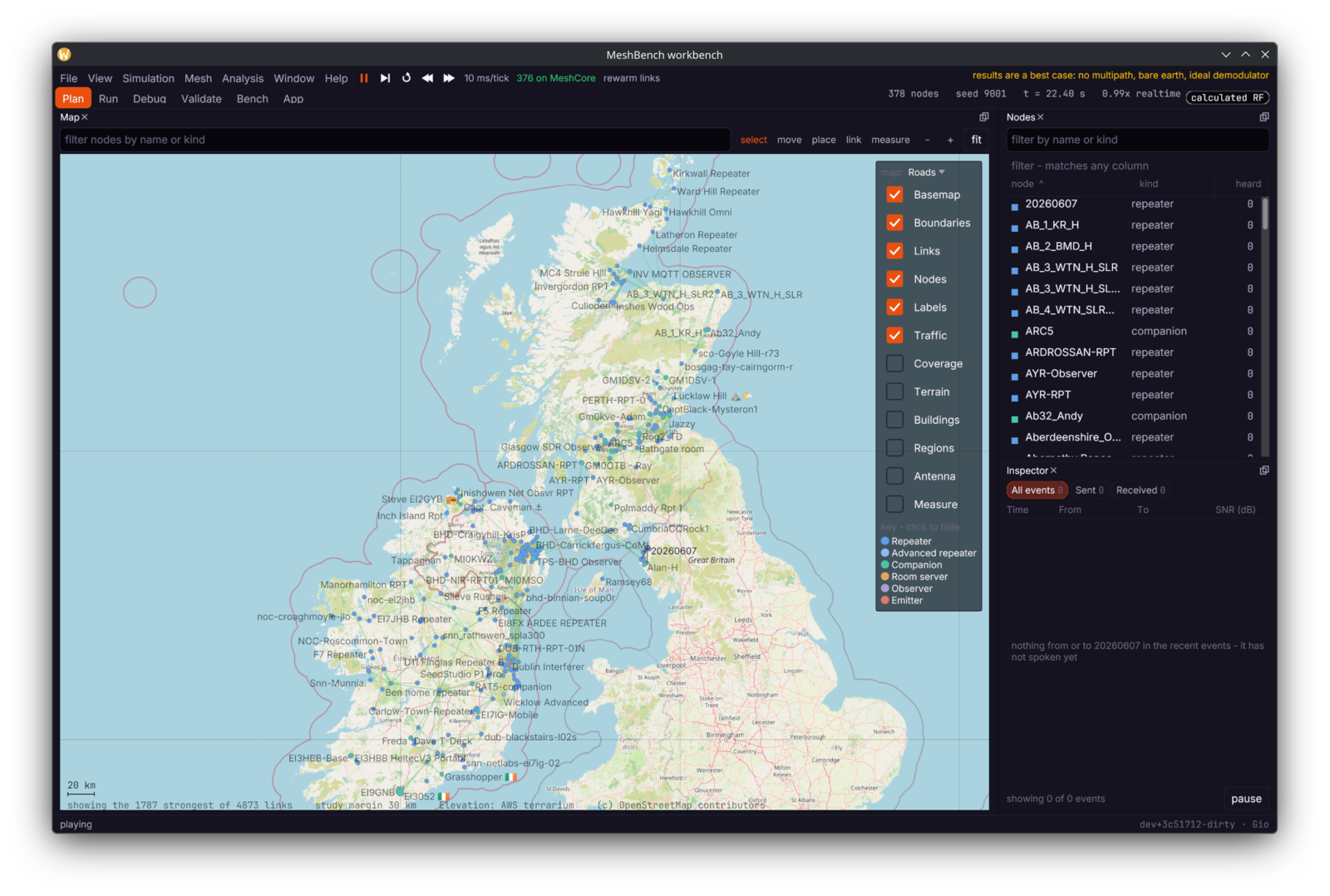
What it is for#
- Network operators. Will this repeater help? What does the mesh look like if that site goes down? Import a real network from CoreScope, the community's live node and traffic
feed, and ask.
- Firmware developers. Does my branch relay more or less than
dev? Build it, hand it to MeshBench, run both against the same 378-node network, and read the difference. - Application developers. Point your client at a simulated mesh over TCP or a virtual serial port, and break it on purpose to see how your app copes.
Start here#
| if you want to | read |
|---|---|
| understand what is real and what is modelled | What is real |
| install and launch it | Getting started |
| run a real network in fifteen minutes | Your first simulation |
| know how much to trust a number | Reading a result |
| use a ready-made network | Shipped networks |
| bring in a real network | Importing a network |
| find out why a packet failed | Debugging packet delivery |
| test a firmware change | Firmware development |
| write a client against it | App development |
| test your own firmware or app | Testing your own code |
| compare two configurations | Experiments |
| drive it from a script | Control socket |
| know how it works inside | Architecture |
| understand how reception is decided | RF simulation |
| know what the build refuses | What the build enforces |
What it does not do#
The simulator is kinder than the air. There is no multipath, no body loss, no oscillator drift. The measured biases nearly all run one way, which is what makes a result usable: treat every absolute number as a best case, and trust the *comparison* between two runs far more than either run alone.
It is a desktop application, not a web service. "On the GPU" always means the GPU in the machine running it, and every GPU path has a CPU path that produces the same answer more slowly.